
Using Lexmark Scan Center functions found in the 2016 Lexmark printer common utilities package
Lexmark CX/CS8xx_72x and XC/Cxxxx: How to use the Lexmark Scan Center functions found in the 2016 Lexmark printer common utilities package
Overview
This article provides a basic understanding of the new Scan Center settings found in the
2016 Lexmark Printer Common Utilities Package
. Using the Lexmark Scan Center functions
The Scan Center functions with their respective images:
Lexmark Scan Center Home screen
Details | Images |
|---|---|
This is the initial screen when accessing Scan Center from the Utilities Package. | 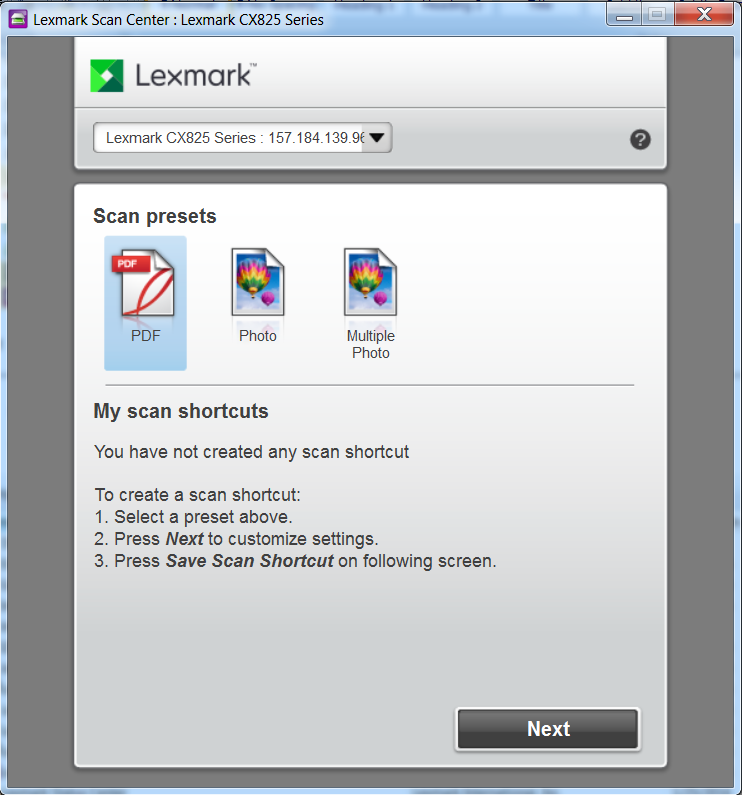 |
Lexmark Scan Center Configuration screen
Details | Images |
|---|---|
The screen that appears after clicking Next . This includes the main settings when scanning a document. Please refer to KB article HO4002 for additional information in creating shortcuts. | 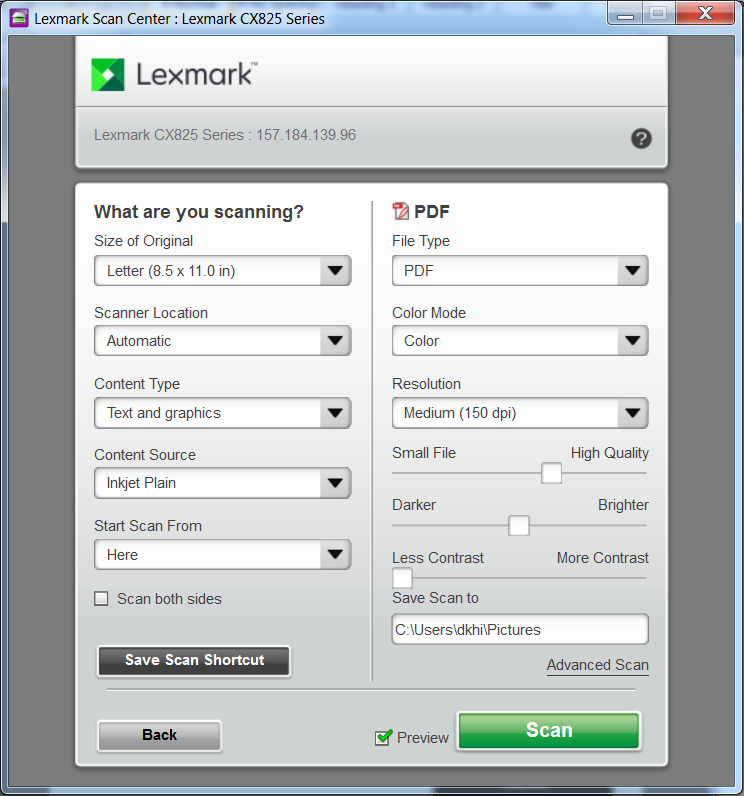 |
Scan Settings
Details | Images |
|---|---|
This setting is found under Advance Scan, where additional configurations can be found for creating a profile and Scan Presets. | 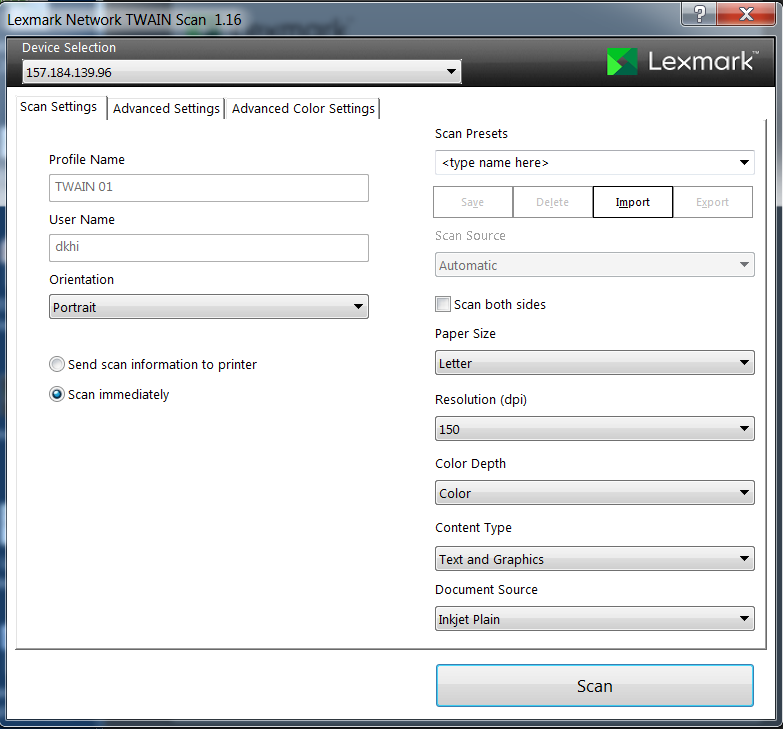 |
Advanced Settings
Details | Images |
|---|---|
These are for configuring the Brightness, Contrast, Sharpness and Background removal. | 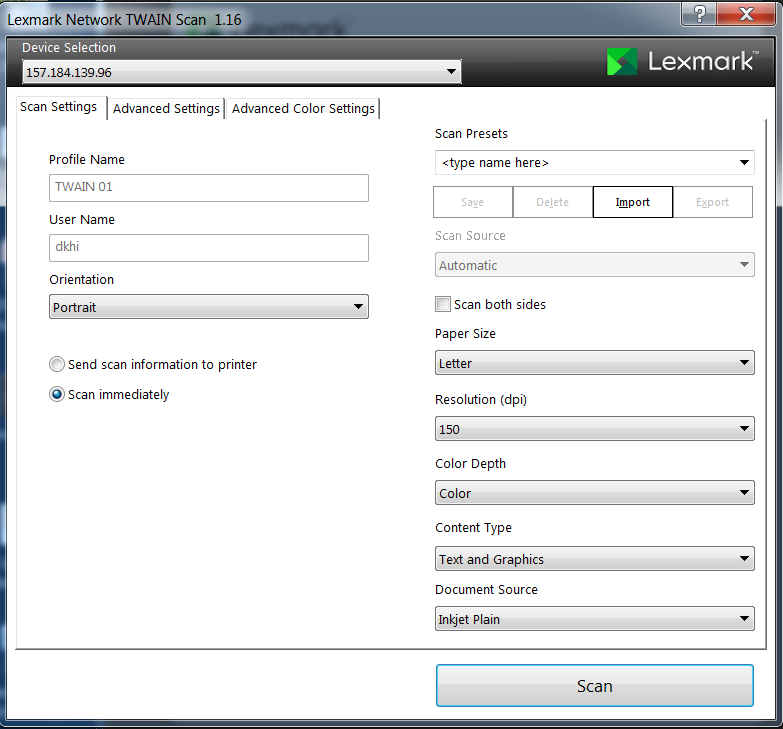 |
Advanced Color Settings
Details | Images |
|---|---|
The settings found here are for adjusting the color balance and the color temperature before scanning. | 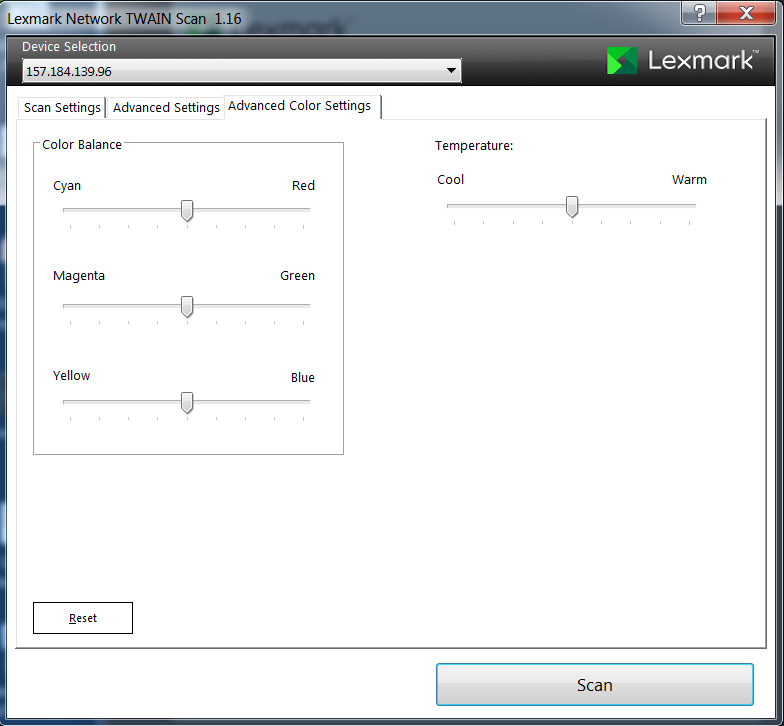 |
LEGACY ID:
HO4007